

Operations
Part of Small business CRM operations: owned records, safe launch
A CRM workflow from intake receipt to exception handling
Build a CRM workflow for an England small business with evidence-led intake, ownership, state changes, exception handling, closure and recovery.
A small business CRM operating workflow should reveal a record's origin, purpose, status and next action. Build the route on paper first, then configure only what the team can operate. Seven steps cover the path from the first receipt to closure.
This procedure is for an England-based business handling ordinary customer or prospect records. It does not decide legal questions for regulated, sensitive or sector-specific information. A named privacy practitioner, security specialist and commercial solicitor should review the real workflow against UK GDPR and PECR, and the rules and compliance position of the supplier arrangement.
What to take away
- Agree the route and the fields before any configuration.
- A record leaves intake only when its origin and purpose are clear; anything else waits in a restricted queue.
- Format checks catch typing errors, not identity, so a trained operator settles uncertain matches.
- Ownership means one named person accepting the next action, and any handover keeps the previous name, time and reason.
- No automation goes live without its own owner, a version and a tested way back.
The seven steps at a glance
The table gives the route in one view. Each row names the step, the evidence it must produce and the field that carries it. The sections below explain each step in order.
| Step | Evidence it produces | Field that carries it |
|---|---|---|
| 1. Intake receipt | Source, time, wording, original identifier | source, received_at, source_evidence |
| 2. Validation | Five minimum evidence items, merge decision | evidence_status, merge note |
| 3. Classification | Basis for contact and a reviewer | communication_basis, reviewer |
| 4. Ownership | One accepted next action | owner, accepted_at, due_basis |
| 5. Controlled action | Outcome and next commitment | outcome note, version for automations |
| 6. Exception | Separate case with a named reviewer | exception record |
| 7. Closure | Outcome reason and deletion trigger | outcome_reason, review_date |
1. Create an intake receipt
When a form, referral, email or file produces a new record, preserve the source, time, wording and original identifier. Do not enrich it yet: the data cleaning pass comes later, once data protection by design under UK GDPR Article 25 has settled the capture fields.
Intake receipt capture
- New record from form, referral, email or file
- Preserve source, time received, collection wording
- Preserve original identifier
- Do not enrich yet
- Unknown origin or unclear purpose: restricted queue
For a CRM, deciding the capture fields and the restricted queue before the first record arrives, not after the first complaint, is data protection by design in practice.
Worked example. A web form enquiry about a boiler service arrives at a small plumbing business. It becomes a new contact holding the source value, the received time and the form's reference number. Validation shows a valid email format but a postcode that does not match the address.
A trained operator finds a near-duplicate and records the merge decision, keeping both original values, the time and the reason. One named administrator accepts the next action, replies and records the outcome. Closure then records an outcome reason and a deletion trigger.
2. Validate before matching
Check whether the minimum required evidence is present: relationship type, stated purpose, source, contact channel and an accountable owner. Run format checks without silently replacing values. A postcode or email-format check does not establish that the data belongs to the right person.
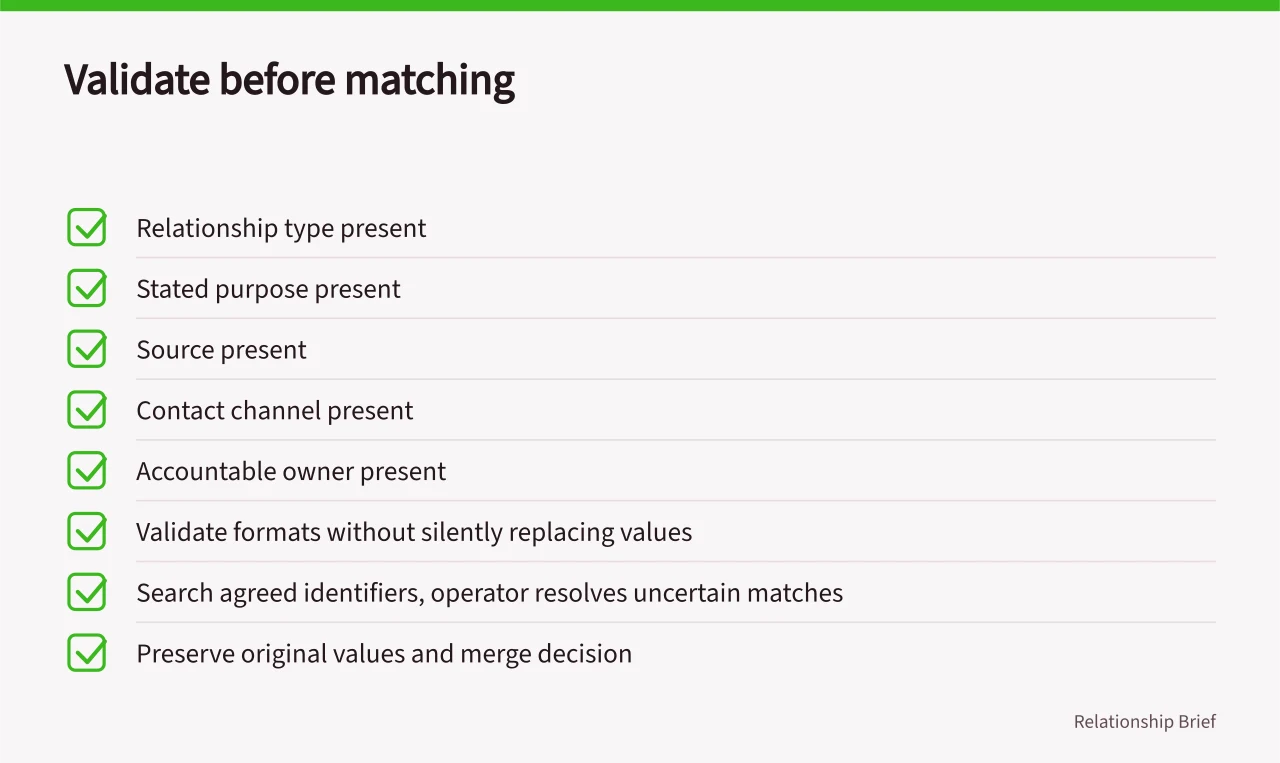
Search for a possible existing record using agreed identifiers. Let a trained operator resolve uncertain matches. Preserve both original values and the merge decision, including who made it and how it can be reversed. Run the duplicate check before any conversion, and log the merge as a dated note.
3. Classify the requested work
Separate a requested response, a service message, a research approach and a direct-marketing communication. Create a decision field with evidence and reviewer, not a single "contactable" switch. Commercial interest in a record does not settle the rules for contact.
Under PECR regulation 22, marketing emails and texts to individuals need specific consent, with a limited exception for existing customers, and the quality checklist tests each class. Route disputed classifications to the privacy or legal reviewer without losing the original request. Keep the form wording in a source field so a later dispute can be checked.
4. Accept ownership
Assign one person to the next action and require acceptance. Record the event, due basis and escalation destination. If ownership changes, retain the previous assignee, timestamp and reason. A record with no acceptance time stays unclaimed rather than counting as assigned.
Avoid queues named after broad departments, because nobody owns them. A useful queue says why the work is there, what evidence is missing and who clears it. When no eligible owner is available, escalate rather than moving the due date.
5. Perform one controlled action
The operator records the material outcome and next commitment. Free text should distinguish what the other person said from the employee's interpretation. Do not attach identity documents, health details or other sensitive material merely because the CRM permits uploads.
Automations need their own owner, version and stop control, as the risk scenarios show. Before enabling one, test synthetic examples for a valid record, duplicate, objection, missing evidence and failed downstream connection. Keep the prior configuration and a documented rollback step. Tag synthetic records so they stay out of reporting.
6. Handle exceptions outside the happy path
Provide dedicated routes for wrong identity, correction, objection, complaint, suspected breach, access failure and integration error. Preserve the facts and notify the competent owner. Use a separate exception record with a named reviewer, not notes on the main record.
For breaches under the UK GDPR the clock matters: plan to report a notifiable breach within 72 hours of becoming aware of it. Only qualified reviewers can judge whether a given incident is notifiable, so name them in the incident plan and give them access to the exception record.
For hosted CRM, write down what the supplier operates and what remains with the buyer. You must understand exactly what your responsibilities are if you are to act on them. Name owners for access, settings, monitoring and recovery.
7. Close and reconcile
Closure requires an outcome reason, unfinished commitments and a retention or deletion trigger. It must not erase a marketing objection. Reconcile changes with connected mailboxes, forms or finance systems, recording mismatches as defects. Use a date field for the trigger so a report can find records due for review.
Do not keep personal data for longer than you need it, and treat periodic review as part of the discipline. Storage limitation under UK GDPR Article 5(1)(e) sets no fixed time limits for data types, so set the review date from the rule for each record type, as the operations and delivery guide does.
At the end of each period, inspect high-risk exceptions and a documented sample of ordinary records. Record the selection method and exclusions, then repair the step that caused a recurring fault. Scale only after the team can reproduce decisions, reverse a bad change and continue essential work during an outage.
Before you act
- Create an intake receipt preserving source, time and original identifier.
- Validate minimum evidence without silently replacing values.
- Classify requested work with evidence and a reviewer.
- Assign one person to the next action and require acceptance.
- Test automations with synthetic examples before enabling them.
- Provide dedicated exception routes for wrong identity and breaches.
Common questions
What should be preserved when a new record arrives from a form, referral, email or file?
An intake receipt should hold where the record came from, when it arrived, the exact wording the person saw or wrote and any reference the source system generated. Do not enrich it yet. Put items with an unknown origin or unclear purpose into a restricted queue.
How should uncertain matches between records be handled?
Search for a possible existing record using agreed identifiers and let a trained operator resolve uncertain matches. Preserve both original values and the merge decision, including who made it and how it can be reversed. This keeps an auditable record of every resolution.
What must be recorded when closing a record?
Closure requires an outcome reason, unfinished commitments and a retention or deletion trigger. It must not erase a marketing objection. Reconcile changes with connected mailboxes, forms or finance systems, and record mismatches as defects so the status and next action stay clear.